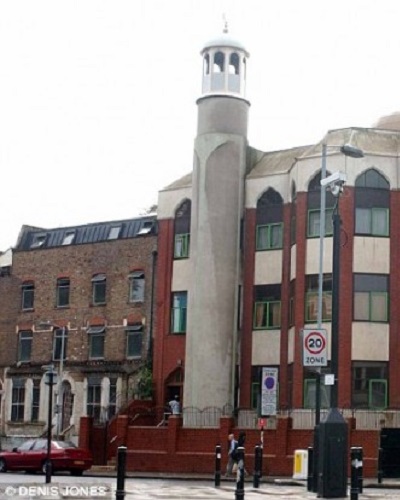
Recently, an imam from a nearby mosque helped in calming down the situation as many angry witnesses flocked around the suspect of the Finsbury Park mosque attack.
In this session, we will look into how he handled the situation effectively.
The Incident
One man died and 10 others injured when a van rammed into worshippers when a man drove his van into the Muslims coming out of the mosque after Ramadan prayer on Monday.
Soon after the incident, bystanders and the angry witnesses held down the man in suspicion of driving a van into pedestrians. They also reportedly punched and kicked him.
It was then that an imam from a nearby mosque, Mohammed Mahmoud shouted “don’t touch him! No one touch him!” while the police came to detain the suspect.
He told Sky News,
“Last night as many of you know we arrived on the scene within minutes after the accident and we found the assailant on the floor, he’d been restrained by around three people, and the injured and deceased brother, they were being attended to and CPR was being administered on them.
Source: Metro (Mohammed Mahmoud (center), an Imam at Finsbury Park Mosque, gives a statement to the media on June 19, 2017)
A group of people began to collect around the assailant and some tried to kill him with kicks or punches. With God’s grace, we managed to stop all forms of attack and abuse that were coming on him from every angle.
Police drove past by coincidence, we flagged him down and told him what was going on. We said if you don’t take him he might be seriously hurt. We pushed people away from him before police took him into custody”
The Muslim Welfare House also praised the bravery of its imam who helped to calm the situation as members of the public detained the suspected attacker.
A statement posted on its’ website said that the organization had also hosted a Great Get Together event in the memory of murdered MP Jo Cox for all faiths a few days ago. It also said that the Muslim community in the area is “horrified” and “shocked” by Monday’s incident.
Share this
Disclaimer Statement: Married Biography's editors wrote and updated all of this data based on their best knowledge and understanding. If any mistakes are found, please use our email to report this content and images.
Cookie Consent
We use cookies to improve your experience.
Cookie Preferences
Manage your cookie preferences below:
Essential cookies enable basic functions and are necessary for the proper function of the website.
Name
Description
Duration
Cookie Preferences
This cookie is used to store the user's cookie consent preferences.
30 days
Statistics cookies collect information anonymously. This information helps us understand how visitors use our website.
Google Analytics is a powerful tool that tracks and analyzes website traffic for informed marketing decisions.
Contains custom information set by the web developer via the _setCustomVar method in Google Analytics. This cookie is updated every time new data is sent to the Google Analytics server.
2 years after last activity
__utmx
Used to determine whether a user is included in an A / B or Multivariate test.
18 months
_ga
ID used to identify users
2 years
_gali
Used by Google Analytics to determine which links on a page are being clicked
30 seconds
_ga_
ID used to identify users
2 years
_gid
ID used to identify users for 24 hours after last activity
24 hours
_gat
Used to monitor number of Google Analytics server requests when using Google Tag Manager
1 minute
_gac_
Contains information related to marketing campaigns of the user. These are shared with Google AdWords / Google Ads when the Google Ads and Google Analytics accounts are linked together.
90 days
__utma
ID used to identify users and sessions
2 years after last activity
__utmt
Used to monitor number of Google Analytics server requests
10 minutes
__utmb
Used to distinguish new sessions and visits. This cookie is set when the GA.js javascript library is loaded and there is no existing __utmb cookie. The cookie is updated every time data is sent to the Google Analytics server.
30 minutes after last activity
__utmc
Used only with old Urchin versions of Google Analytics and not with GA.js. Was used to distinguish between new sessions and visits at the end of a session.
End of session (browser)
__utmz
Contains information about the traffic source or campaign that directed user to the website. The cookie is set when the GA.js javascript is loaded and updated when data is sent to the Google Anaytics server